10 Team Collaboration Best Practices to Automate Your Workflow in 2026
Unlock peak productivity with these 10 team collaboration best practices. Automate tasks with AI and free up your time for strategic growth. Learn more!
24 min read
January 21, 2026
Imagine a world where your business runs on autopilot. Tedious tasks like SEO analysis, social media scheduling, and customer support triage are handled seamlessly 24/7, freeing your team to focus on high-impact strategy, creativity, and growth. This isn't a futuristic dream; it's the accessible reality of a modern, hybrid workforce where AI employees and human talent work in perfect sync. The key to unlocking this powerful efficiency isn't just about adopting new tools, it's about fundamentally rethinking how your team works together. True collaboration transforms individual efforts into a unified, intelligent system that multiplies output without burning out your people.
This guide provides 10 essential team collaboration best practices designed for today's fast-paced environment. We'll move beyond generic advice to give you actionable, specific strategies to integrate intelligent automation, streamline communication, and build a collaborative engine that powers unprecedented growth. You'll learn how to implement shared-context workflows and deploy agentic AI employees, turning your team into a lean, highly productive force. These aren't just tips; they are foundational principles for building a scalable, efficient, and forward-thinking organization.
Inside, we will cover practical steps for implementing:
Asynchronous communication to eliminate meeting overload.
AI-human task allocation for maximum efficiency.
Unified workspaces that consolidate your entire tool stack.
Transparent workflows that provide real-time project visibility.
Get ready to reclaim your time and let your new AI-powered team handle the heavy lifting.
1. Asynchronous Communication & Shared Context
Asynchronous communication is one of the most powerful team collaboration best practices for modern, distributed teams. It frees your team from the constraints of matching schedules and time zones by prioritizing documentation over real-time meetings. Instead of relying on instant responses, all decisions, updates, and context are recorded in a centralized system, creating a shared source of truth accessible to everyone, including AI employees. Imagine the dream of waking up to completed tasks and progress reports, all because your team and AI agents could work effectively while you were offline.
For example, an AI SEO employee, such as Dooza's Ranky, can work on your blog content based on a marketing strategy discussion that was documented while you were asleep. This is only possible when conversations are recorded and accessible. By building a shared context, you empower both human and AI teammates to make informed, independent decisions, drastically accelerating project timelines and freeing your team from mundane coordination tasks.
How to Implement Asynchronous Workflows
Centralize Your Knowledge: Use a tool like Notion or another shared workspace as your team's central nervous system. Document everything from project briefs and meeting notes to strategic decisions and process guides.
Structure Your Communications: Organize conversations in threaded discussions within tools like Slack or Microsoft Teams. Create dedicated channels for specific projects or departments to keep information organized and searchable. Pin critical decisions or summaries to the top of relevant threads for easy access.
Establish Clear Naming Conventions: Create and enforce a consistent naming system for all files, documents, and project folders. For example, a logical structure like [ProjectName]_[DocumentType]_[Date] makes it easy for anyone, human or AI, to find information quickly without asking for help.
Integrate AI with Shared Context: Ensure your AI employees have access to this centralized knowledge base. This allows them to independently retrieve project requirements, understand historical context, and execute tasks without constant human oversight, turning them into truly autonomous team members.
2. Clear Role Definition & AI-Human Task Allocation
One of the most critical team collaboration best practices for hybrid teams is defining explicit roles and responsibilities for both human and AI employees. This clarity prevents task duplication, eliminates confusion, and ensures every resource is allocated for maximum impact. Instead of viewing AI as just a tool, this approach treats it as an integral part of the workforce, with specific duties that complement human strengths. This model creates a powerful synergy where AI handles repetitive, data-driven tasks, freeing humans to focus on strategy, creativity, and client relationships.
Imagine the dream of your AI social media manager, such as Dooza's Somi, not just scheduling but also creating and publishing a week's worth of content based on your approved content calendar. While the AI handles the tedious execution, your human marketing lead is free to brainstorm the next high-level campaign, analyze performance trends, and build strategic partnerships. This clear division of labor turns your team into a highly efficient engine, freeing up countless hours and letting automation accelerate execution while human talent drives innovation.
How to Implement AI-Human Task Allocation
Create a Responsibility Matrix: Develop a simple chart (like a RACI matrix) that outlines key business processes and assigns ownership. For example, assign AI social media manager: Post daily content and Marketing Manager (Human): Approve weekly content themes. This clarity is the first step to true automation.
Automate Rule-Based Tasks First: Start by delegating the most repetitive, low-judgment tasks to your AI teammates. For example, use AI employees to handle social media scheduling, initial customer support triage, or data entry, recovering hours for your human team.
Establish Clear Escalation Protocols: Define the exact triggers that require an AI employee to escalate a task or query to a human. For instance, an AI support agent might handle standard FAQs but must immediately notify a human manager if a customer uses keywords like "legal" or "refund complaint."
Document AI Decision Trees: For tasks like lead routing or support ticketing, create a clear, documented decision-making flow for your AI to follow. This ensures consistency and allows you to easily update the AI's behavior as your business processes evolve, unlocking truly autonomous work.
3. Integrated Tool Ecosystem & Unified Workspace
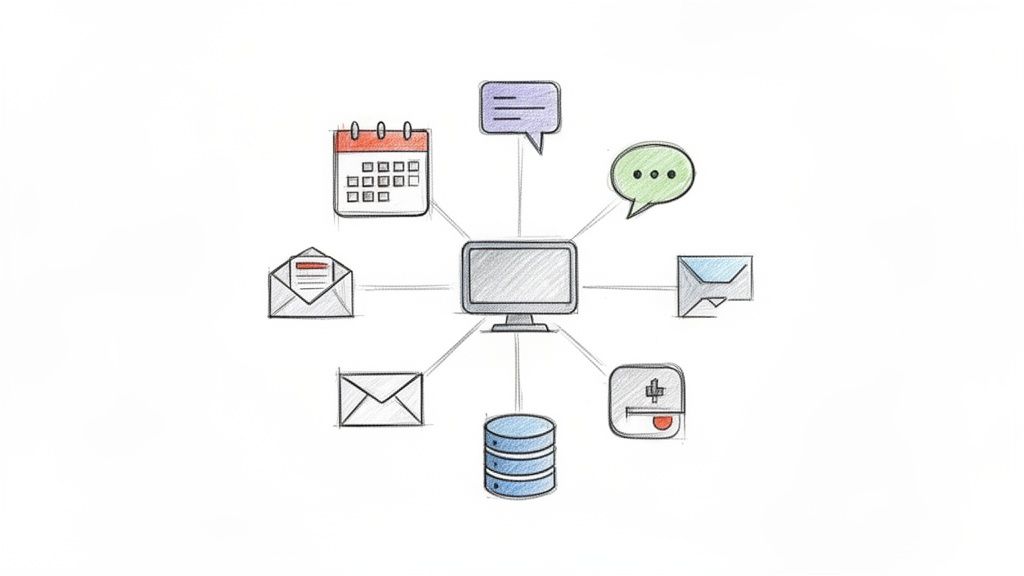
Managing a patchwork of disconnected software is a major drain on productivity, forcing your team to constantly switch contexts and manually transfer data. Adopting an integrated tool ecosystem is a cornerstone of modern team collaboration best practices, creating a single, unified workspace where information flows seamlessly. This approach, championed by platforms like Zapier and HubSpot, eliminates data silos and ensures all team members, human and AI, operate from a single source of truth.
Imagine the dream of your AI social media manager instantly creating a new post based on a high-performing keyword identified by your SEO agent, all within the same platform and without any human intervention. This vision of automated, collaborative efficiency becomes reality when your tools are deeply connected. An integrated workspace empowers AI employees to access cross-functional data, understand the full context of a project, and execute complex workflows autonomously, freeing your human team to focus on high-impact strategic initiatives.
How to Implement a Unified Workspace
Map Your Core Data Flows: Before integrating, identify your essential tools (e.g., CRM, project management, communication) and map how information needs to move between them. For example, a new lead in your CRM should automatically create a task in your project management tool for your AI sales assistant to follow up.
Prioritize Native Integrations: Whenever possible, connect your core tools directly so your AI employees have stable access to the data they need.
Establish Data Governance Rules: Define clear rules for what information can be accessed and modified by different team members and AI agents. This protects sensitive data while ensuring operational transparency and preventing accidental data corruption.
Document and Audit Your Ecosystem: Create simple documentation for how your integrations work, making it easy to troubleshoot issues. Regularly review your connected apps to remove unused or redundant tools, which helps reduce costs and minimize security risks.
4. Transparent Communication & Real-time Visibility
Transparent communication is a foundational pillar of high-performing teams, creating an environment where project progress, decisions, and activities are visible to everyone. This is a core team collaboration best practice that fosters accountability and trust by eliminating information silos. When everyone can see who is working on what in real-time, it prevents duplicated effort, surfaces roadblocks faster, and keeps the entire team aligned on strategic goals. This clarity is not just for humans; it’s essential for integrating AI employees into the workflow seamlessly.
Imagine the dream of your AI social media manager proactively pausing a campaign because it detected a negative sentiment spike discussed in a public marketing channel, preventing a potential PR issue before it happens. This proactive intervention is only possible when communication is open and accessible. By creating a transparent workspace, you empower both human and AI teammates to understand the broader context, enabling them to work in concert and anticipate needs instead of just reacting to commands. This transforms your team into a cohesive, self-correcting unit that moves faster and with greater purpose, freeing you from constant crisis management.
How to Implement Transparent Communication
Create Public-by-Default Channels: Use tools like Slack or Microsoft Teams to establish public channels for all projects and departments. Default to open conversations unless a topic is truly sensitive, making progress and discussions visible to all.
Establish a Central Dashboard: Use a tool like Notion or a shared dashboard to create a real-time view displaying key project statuses, team priorities, and performance metrics. This single source of truth ensures everyone is looking at the same information.
Share Automated Progress Summaries: Configure your systems to automatically generate and share weekly or daily progress reports. For instance, set up a workflow to compile a list of tasks completed by AI employees and post it in a designated channel, eliminating the need for manual status updates.
Define Transparency Norms: Clearly document what information should be public versus private. This helps your team feel secure while promoting a culture of openness.
Enable Cross-Functional Visibility: Ensure your AI employees have visibility into relevant human activities. By connecting your AI tools to your project management tools, your AI teammates can see project updates and adjust their own tasks accordingly, creating a truly synchronized workflow.
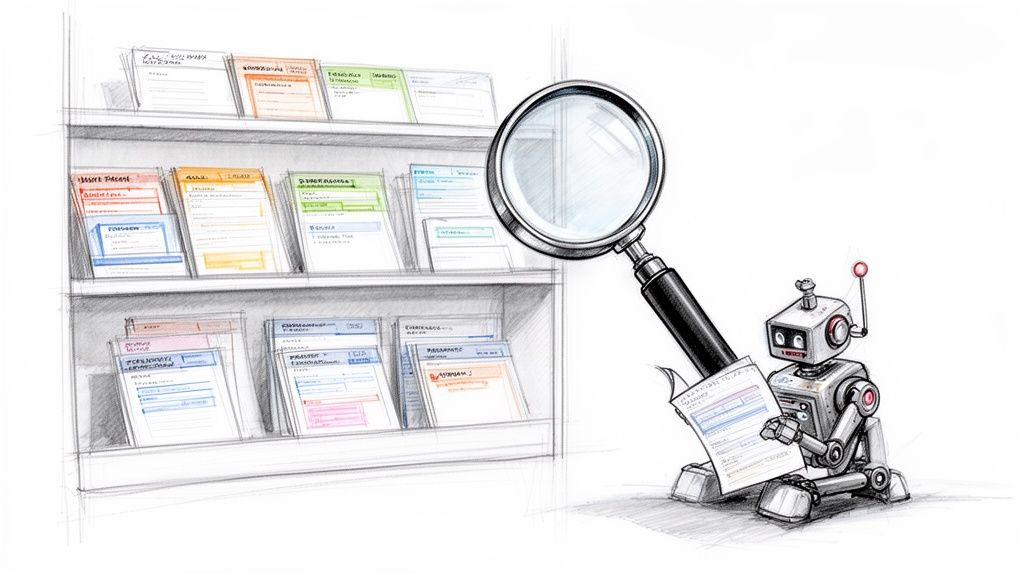
Building a structured system for knowledge management is one of the most critical team collaboration best practices for long-term success. It involves creating an "institutional memory" by capturing, organizing, and retrieving crucial information, ensuring that valuable insights aren't lost when team members leave or projects end. For small teams, this practice is transformative, moving essential knowledge from one person's head into a shared, accessible system for everyone, including AI employees.
Imagine the dream of adding a new marketing AI employee and having it quickly understand your brand voice, content strategy, and past campaign performance by reviewing a centralized wiki. This is the power of institutional memory. It empowers both human and AI teammates to learn from past decisions, avoid repeating mistakes, and operate with full context, freeing you from endlessly repeating the same instructions and allowing you to focus on high-impact strategic work.
How to Implement Structured Knowledge Management
Document High-Value Processes First: Start by documenting your most important and repeatable workflows, such as customer onboarding, sales outreach, or content publishing. For example, create a step-by-step guide for your AI to follow when publishing a blog post, from SEO checks to social media promotion.
Use Templates to Standardize Documentation: Create and use templates for common documents like project briefs, meeting notes, and post-mortems. This ensures consistency and makes the documentation process faster and less daunting for your team.
Make Documentation AI-Friendly: Structure your processes with clear, step-by-step instructions, using logical decision trees where possible. This format is easily digestible for AI employees, enabling them to execute complex tasks autonomously and reliably.
Establish a Review Cadence: Knowledge becomes stale. Schedule a quarterly review to update and refresh key documents, ensuring your institutional memory remains accurate and relevant.
6. Regular Synchronization & Feedback Loops
While asynchronous work forms the backbone of modern efficiency, scheduled synchronization is one of the most crucial team collaboration best practices for maintaining alignment and momentum. Regular, structured meetings act as vital checkpoints, ensuring that both human and AI team members are aligned on goals, and providing a dedicated space for real-time feedback and strategic course correction. This hybrid approach prevents silos from forming and keeps the entire team moving in a cohesive direction.
Imagine the dream of starting your week with a brief sync where you review your AI marketing assistant's performance metrics from last week's campaign. You instantly identify a high-performing ad creative, and in the same meeting, task the AI to reallocate the budget and scale that specific ad set. This immediate feedback loop, applied to both human and AI efforts, turns your team into a highly responsive unit, capable of capitalizing on opportunities without delay and freeing you from endless email chains.
How to Implement Synchronization & Feedback Loops
Keep Syncs Short and Structured: Run daily standups in 15-20 minutes. Use a clear format: what did you (and your AI) accomplish yesterday? What's the plan for today? Are there any blockers? For example, a team member could report, "My AI agent completed the competitor analysis, so today I'll focus on strategy based on its findings."
Integrate AI Performance Reviews: Make AI employee performance a standard agenda item in weekly team reviews. Discuss metrics, outputs, and areas for process optimization. Treat your AI teammates as integral parts of the team whose contributions are measured and refined.
Conduct Regular Retrospectives: Hold monthly or post-project retrospectives to discuss what worked, what didn't, and what can be improved in your human-AI collaboration. This fosters a culture of continuous improvement and fine-tunes your operational workflows.
Establish Feedback Channels: Use dedicated forms to gather structured feedback on processes, AI performance, and team dynamics. Centralizing this input makes it easy to spot trends and act on them.
7. Collaborative Goal Setting & Shared Metrics
True alignment happens when every team member, human or AI, is working toward the same definition of success. This is why collaborative goal setting is a cornerstone of high-performing teams. It moves beyond assigning individual tasks to creating a shared mission, where success is measured by collective outcomes. By implementing frameworks like OKRs (Objectives and Key Results), you can create transparent, measurable targets that guide both human efforts and AI employee contributions, ensuring everyone is pulling in the same direction.
Imagine the dream of your growth marketing team setting a quarterly objective to increase lead generation by 40%. With a shared metrics dashboard, your content specialist focuses on creating high-quality articles while your AI SEO employee is assigned the key result of growing organic blog traffic. This clarity allows each team member to understand their specific contribution to the bigger picture, transforming siloed efforts into a unified, goal-crushing machine and freeing your team from micromanagement to focus on strategy.
How to Implement Collaborative Goal Setting
Establish a Goal Framework: Adopt a system like OKRs or SMART goals. For example, define a high-level company Objective (e.g., "Become the market leader in our niche") and then create measurable Key Results for each team and AI employee (e.g., "Achieve a 95% first-response resolution rate for our support AI").
Set Complementary AI & Human Goals: Assign goals that leverage the unique strengths of each team member. For example, while a human marketer focuses on creative campaign strategy, an AI employee can be tasked with executing and optimizing ad spend to achieve a 15% higher click-through rate.
Use a Centralized Dashboard: Track progress against all goals in a transparent, accessible place. Using a shared dashboard, you can monitor AI employee performance alongside your team's progress, making it easy to see what’s working and where to adjust.
Review and Iterate Frequently: Don't wait for the end of the quarter. Hold weekly or bi-weekly check-ins to review progress, celebrate wins, and pivot your strategy if needed. This agility is crucial for keeping your goals relevant and your team motivated. If search rankings are one of your goals, see how Dooza's Ranky handles SEO and AI visibility.
8. Continuous Learning & Process Improvement
A static workflow is a stagnant one. Embracing team collaboration best practices means building a culture of continuous learning and process improvement, where every team member, human or AI, is empowered to find better ways of working. This principle treats your operations not as a fixed set of rules but as a living system that can always be optimized. It involves regularly reviewing workflows, experimenting with new configurations, and actively seeking out bottlenecks to eliminate.
Imagine the dream of your AI sales assistant, not only sending follow-up emails but also analyzing open rates and suggesting template adjustments to improve engagement. This self-optimizing loop is the ultimate form of modern collaboration. By creating a system where both humans and AI are encouraged to suggest and test improvements, you build a resilient, competitive team that consistently refines its efficiency and output, freeing up valuable time for strategic, high-impact work.
How to Implement a Culture of Continuous Improvement
Schedule Dedicated Retrospectives: Hold monthly meetings specifically focused on process. Ask direct questions like, "What part of our workflow felt slow this month?" and "How can our AI employees take on more repetitive tasks?" For example, a team could identify that manual report generation is a bottleneck and decide to pilot an AI to automate it.
Create an "Improvement Backlog": Use a simple project board in a tool like Trello to capture all process improvement suggestions from the team. This visualizes ideas and allows you to prioritize them based on potential impact and effort.
Pilot and Measure: Before a full rollout, test process changes with a small group or on a single project. Use before-and-after metrics (e.g., hours saved, support tickets resolved, lead conversion rate) to validate the improvement's effectiveness.
Empower AI to Surface Bottlenecks: Configure your AI employees to identify and flag inefficiencies. For instance, an AI agent could analyze project data to highlight tasks that consistently miss deadlines, pointing you directly to a process that needs attention. This transforms your AI from a simple doer into a strategic partner in optimization.
9. Trust & Psychological Safety in Hybrid Teams
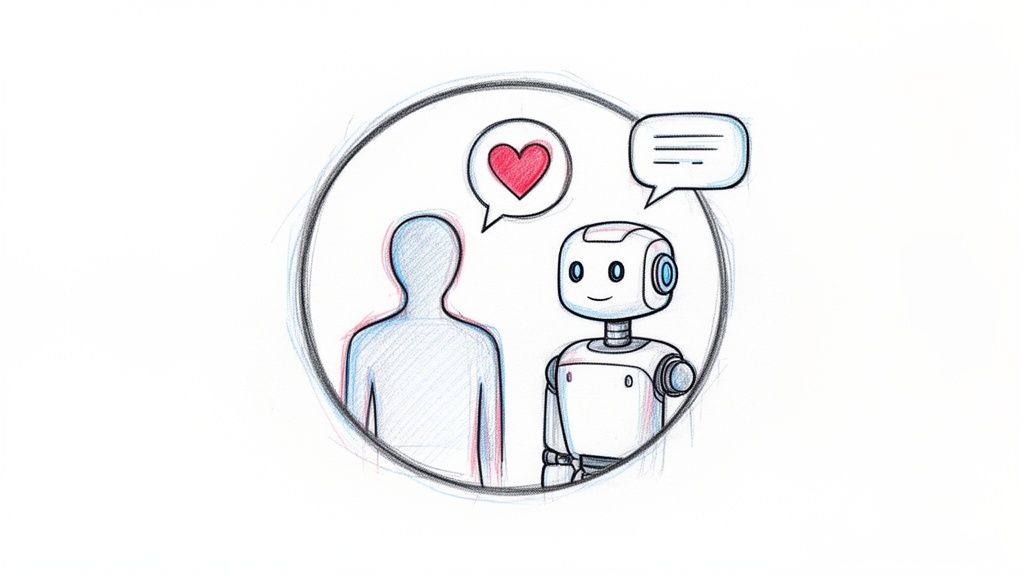
Building trust and psychological safety is among the most critical team collaboration best practices for teams integrating both human and AI employees. This principle involves creating an environment where people feel safe to take risks, admit mistakes, and offer candid feedback without fear of negative consequences. When teams trust both each other and their AI colleagues' capabilities, delegation flows smoothly, innovation thrives, and collaboration becomes truly seamless.
Imagine a workplace where your AI marketing agent misinterprets a campaign brief. Instead of assigning blame, the team openly discusses the error in a dedicated Slack channel, learns from the mistake, and refines the AI’s instructions. This culture of safety allows you to transparently address AI limitations, turning potential failures into valuable learning opportunities. When your team trusts that they can experiment and even fail with new AI workflows, they are more likely to delegate meaningful tasks, freeing up their own time for high-level strategy and creative problem-solving.
How to Cultivate Trust and Safety
Be Transparent About AI Capabilities: Set clear expectations from the start. Communicate what your AI employees excel at and where they might struggle. For example, state, "Our content agent is brilliant at first-draft generation but requires human review for brand voice." This prevents frustration and builds trust in the AI's known strengths.
Normalize Mistakes as Learning Moments: Frame AI errors as opportunities for improvement. Instead of asking "Why did the AI fail?", ask "What can we learn from this outcome to improve our process?" This shifts the focus from blame to collective growth.
Create Open Forums for Discussion: Establish dedicated spaces, like a Slack channel or regular meeting segment, for team members to voice concerns, share successes, and ask questions about working with AI employees without judgment.
Celebrate Human-AI Wins: Actively highlight instances where AI employees have saved time, improved accuracy, or enabled the team to achieve a goal. For example, share a message like, "Big thanks to our AI assistant for processing 500 leads this week, which freed up our sales team to close three major deals!" This reinforces the value of hybrid collaboration.
10. Scalable Onboarding & Documentation for Growing Teams
Effective onboarding is one of the most crucial team collaboration best practices for scaling teams, yet it's often an afterthought. A scalable onboarding system relies on comprehensive documentation to get new hires, whether human or AI, productive from day one. Instead of ad-hoc training sessions, all processes, tool guides, and team workflows are meticulously documented in a central knowledge base.
Imagine the dream of hiring a new marketing specialist and having them fully operational in their first week, already collaborating with your AI SEO employee on a new campaign. This becomes your reality when their onboarding checklist includes a step-by-step guide to configuring and delegating tasks to your AI tools. By documenting everything, you drastically reduce ramp-up time, minimize repetitive questions, and empower your team to scale headcount without sacrificing momentum or consistency, freeing you from endless training loops.
How to Implement Scalable Onboarding
Create Role-Specific Onboarding Paths: Develop unique onboarding checklists and documentation for different roles. A new social media manager's guide, for example, will look different from the one for an AI SEO employee, which might focus on API access, data sources, and performance benchmarks.
Build a "First Week" Checklist: Create a templated checklist that covers all essential first-week tasks: gaining access to tools, attending key introductory meetings, and completing initial training modules. This provides structure and clarity for the new hire.
Document Common Processes with Video: Use tools like Loom to record short, step-by-step video walkthroughs of common tasks, especially for complex software like your project management tool or your AI tools. Embed these directly into your Notion or knowledge base.
Establish an Onboarding Buddy System: Pair each new team member with an experienced "buddy" for their first 2-3 weeks. This provides a go-to person for informal questions, helping them integrate socially and culturally while protecting the manager's time.
Iterate Based on Feedback: Schedule regular check-ins (Day 1, Week 1, Month 1) and formally request feedback from recent hires. Use their insights to continuously refine and improve your onboarding documentation and processes for the next person.
Top 10 Team Collaboration Best Practices Comparison
Item
Implementation complexity 🔄
Resource requirements ⚡
Expected outcomes 📊
Ideal use cases 💡
Key advantages ⭐
Asynchronous Communication & Shared Context
🔄 Medium — central workspace, templates, governance
⚡ Low–Medium — documentation tools and contributor time
Your Autopilot Team Awaits: It's Time to Build, Not Just Manage
We've explored ten foundational pillars of modern work, from establishing asynchronous communication to building scalable onboarding processes. Each of these team collaboration best practices is a powerful lever on its own. However, when combined, they don't just add to each other; they multiply their impact, transforming your team from a group of individual contributors into a cohesive, intelligent, and highly automated operational system.
The core takeaway is this: true collaboration isn't about more meetings or endless Slack threads. It's about designing a system where clarity, context, and accountability are built into the very fabric of your workflows. It’s about creating a single source of truth that powers both your human talent and your emerging AI workforce. When roles are clearly defined, knowledge is managed systematically, and goals are shared transparently, the friction that bogs down most teams simply evaporates.
From Manual Management to Automated Operations
Imagine the dream of a marketing team where a new campaign request automatically triggers a project brief, assigns tasks to both a human designer and an AI copywriter, and updates the project timeline in real-time for all stakeholders to see. This isn't a futuristic fantasy; it's the direct result of implementing the practices we've discussed.
Integrated Tooling & Shared Context: Prevents the "Where did I see that?" problem, allowing your AI employees to access the same information as your human team to complete tasks accurately.
Clear Role Definition & AI Task Allocation: Ends the guesswork. You know precisely which tasks are for your human experts (strategy, final review) and which are for your AI agents (data analysis, first drafts, SEO optimization).
Structured Knowledge Management: Creates a "brain" for your organization. This institutional memory ensures that an AI social media manager has all the brand guidelines and past performance data it needs to create effective content without constant human intervention.
By mastering these concepts, you shift your role from a hands-on task manager to a strategic systems architect. You stop spending your days chasing updates and putting out fires. Instead, you invest your time in refining the processes, setting the vision, and focusing on the high-impact strategic work that only you can do.
The True Value: Your Time and Your Vision
The ultimate benefit of optimizing your team collaboration best practices is the reclamation of your most valuable asset: your time. By building a reliable, self-sustaining system, you free yourself and your team from the mundane, repetitive tasks that drain energy and stifle creativity. You create the space for innovation, deep work, and strategic growth. This is how you build a business that scales beyond your personal input.
This integrated approach, where humans and AI agents work side-by-side in a unified workspace, is the competitive edge for modern startups, agencies, and small businesses. It's how you can achieve the output of a much larger organization without the overhead. You are no longer just managing a team; you are orchestrating a powerful, hybrid workforce. The dream of an autopilot business is here. It’s time to start building.
Ready to build your own automated workforce? Dooza is an AI-native company that builds AI products and services for small businesses, from custom AI agents built and maintained by Dooza engineers to done-for-you AI receptionist, customer support and AI visibility services. Start with a refundable pilot — 100% refund within 14 days. Book a free pilot call or see Dooza pricing.
Ready to Start Your Pilot?
Automate your business with AI employees that work 24/7. Start with a refundable pilot: 100% refund within 14 days.
Claude Opus 5.5: Fable-Level Performance at 40% Lower Cost, Explained
Anthropic's Claude Opus 5.5 is the first model in the Claude 5.5 family. It performs at roughly the level of Claude Fable 5.1 on most work, costs 40% less to run than Opus 5, and generates output more than 30% faster. Here is what changed, how to choose between Opus 5.5, Fable 5.1 and Sonnet 5.5, and what it means for businesses running AI agents.
Claude Made a Video on Western Civilization: How AI Explainer Videos Work
A two-minute animated video on Western civilization, which its poster says Claude made, reached 15 million views on X. Here is what we can verify about how it was made, how code-rendered AI explainer videos work, why it went viral, the criticism, and practical ways small businesses can use AI video.
Start with a refundable pilot — 100% refund within 14 days. A Dooza engineer scopes it with you on a free 30-minute call. Pricing depends on the product; see pricing.