![AI Agents vs Agentic AI — What Nobody Tells You [2026]](/blog/ai-agents-vs-agentic-ai.png)
AI Education
AI Agents vs Agentic AI — What Nobody Tells You [2026]
Confused by the jargon? We break down the differences between Generative AI, AI Agents, and Agentic AI in simple terms.
10 min read
ReadWhat AI agents can actually do for a small business today, which tasks to automate first, where to keep human approval, and when a done-for-you provider or a DIY builder is the better pick.
Short answer: AI agents for a small business are AI tools that finish defined tasks, not just answer questions: answering missed calls, drafting replies, building lead lists, posting to social media, sending reports. They work best on repetitive, reversible work, with your approval on anything that spends money, sends to customers in bulk or makes a commitment. Start with one painful workflow, measure it for two weeks, then add the next. If you would rather not build and maintain agents yourself, a done-for-you provider such as Dooza sets them up for you; if you have someone technical and enjoy building, a no-code agent builder is the cheaper path.
Autonomous AI agents are getting attention in business automation because operators are no longer asking whether AI can write a paragraph. They are asking whether AI can finish work. That shift matters for founders, local service businesses, agencies, ecommerce teams, and lean operations teams that cannot afford another dashboard that only creates more tabs.
Autonomous AI agents sound exciting, but in business the best system is rarely fully autonomous. It is selectively autonomous. The agent should handle repetitive execution while humans keep control over strategy, risk, and final approval.
The market is moving quickly, but the useful lesson is simple: the winners are not the companies with the most experimental agents. The winners are the teams that connect AI to real workflows, give it clear limits, and make the output visible enough for a human to trust. That is why this guide focuses on practical business use, not hype.
In 2026, autonomous AI agents usually means a system that can understand a goal, gather context, use tools, and complete a defined business task. It is different from a chatbot because the outcome is not just an answer. The outcome might be a scheduled post, a qualified lead list, a draft email campaign, a CRM update, a customer call summary, or an SEO article ready for review.
An agent can automatically gather leads, draft emails, and prepare a campaign. But sending to thousands of prospects may still require approval. That is not weakness. It is responsible automation.
For small businesses, the practical value is not replacing every employee. It is removing the work that sits between decisions: copy-pasting, checking inboxes, drafting the same response, searching for leads, creating reports, updating tools, and following up when nobody has time.
AI agents moved from novelty to operating layer because three things changed at the same time. Models became better at following instructions. Tool integrations became easier to connect. Business owners became tired of paying for software that still required a human to do every step manually.
That combination explains why searches around agent builders, no-code agents, workflow tools, autonomous agents, CRM automation, task automation, and lead qualification are growing together. They all describe the same pain: teams want business outcomes, not more software administration.
A useful AI workflow has five layers. First, it needs a trigger: a message, a schedule, a new lead, a form submission, a file upload, or a task from a user. Second, it needs context: brand rules, customer data, connected accounts, previous messages, files, and goals. Third, it needs tools: email, calendar, social platforms, CRM, spreadsheets, website, voice, lead sources, or custom APIs. Fourth, it needs guardrails: what it can do, what needs approval, and what should stop. Fifth, it needs reporting so the user can see what happened.
Without those five layers, AI automation becomes fragile. The agent may generate good text but fail to send it. It may know the right strategy but not have the right connected account. It may do the work but leave no audit trail. Good platforms solve the full chain.
Use this checklist before choosing a platform for autonomous AI agents:
Separate tasks into three levels: safe to automate, automate with review, and human-only. Reporting, drafting, and data collection are often safe. Publishing, spending money, deleting data, and customer commitments need stronger controls.
Dooza is built around AI employees rather than generic automation blocks. That difference matters. A founder does not usually wake up wanting to build a graph of nodes. They want someone to write the post, prepare the lead list, answer the missed call, check replies, publish the blog, or send the report.
Dooza is designed around useful autonomy. AI employees can run routines and use connected tools, but the platform keeps key actions understandable to the user.
Instead of asking a user to become an automation engineer, Dooza gives them AI employees for set roles: email, social media, SEO and AI visibility, lead generation and sales outreach, legal documents, and phone calls. A Dooza engineer scopes the setup on a free 30-minute call, with encrypted connections and your approval on anything sensitive. Pricing depends on the product (see pricing), and every product starts with a refundable pilot: 100% refund within 14 days.
Dooza is not the right fit for everyone. If you have a technical person who enjoys building, a no-code agent builder or an automation tool gives you more control for less money. If you only need one narrow job done, such as scheduling social posts, a single-purpose tool is simpler. If your work is regulated (for example, you need a signed HIPAA BAA), pick a vendor that offers one: Dooza does not. Dooza fits owners who want the work done without learning a tool, and want an engineer to set it up and maintain it.
Start with one workflow, not ten. Choose a repeatable task that already has a clear owner and a clear success metric. Examples include daily social posting, weekly SEO publishing, lead list generation, reply monitoring, missed-call follow-up, or campaign reporting.
Start autonomy with reversible work. Once the agent proves consistent output, expand into higher-impact workflows with approvals and reports.
The pattern is always the same: remove the manual middle steps, keep the business decision visible, and let the AI employee handle the repetition.
Reliable AI automation is not only about the model. The model is one layer. The operating model is the full system around it: context, permissions, data quality, action tools, logs, human approval, retries, and reporting. When those pieces are missing, even a strong model can behave like an unreliable intern. When those pieces are present, a smaller team can run work with more consistency.
For a small business, the operating model should stay simple. Start with a clear instruction, connect only the tools required for the job, set a safe output format, and decide what the agent is allowed to do without approval. For example, drafting a LinkedIn post can be automatic, while publishing it may require approval. Checking replies can be automatic, while responding to a sensitive customer might require a human review. Generating a lead list can be automatic, while launching outreach should wait until email quality is verified.
The best platforms make these boundaries visible. The user should know what the AI employee did, what it skipped, what failed, and what needs attention. This is the difference between business automation and hidden automation. Hidden automation creates anxiety because the user cannot tell whether anything happened. Visible automation builds trust because every run produces a clear result.
Before using autonomous AI agents in a live workflow, add quality gates. These gates prevent weak inputs from becoming weak outputs at scale. The first gate is data quality. If the agent is working with leads, contacts, products, posts, or tickets, the fields need to be clean enough for the task. The second gate is permission quality. If the agent needs to post, send, schedule, or update records, the connected account must have the right access. The third gate is prompt quality. The instruction should name the outcome, the audience, the tone, the constraints, and the stop condition.
The fourth gate is output review. In early runs, inspect the work before increasing autonomy. Look for hallucinated claims, wrong names, broken links, duplicate work, formatting issues, and unclear next steps. The fifth gate is measurement. A workflow should not be considered successful because it ran once. It should be considered successful when it runs repeatedly with low edit time and low error rate.
For autonomous AI agents, the most important proof is an agent completing low-risk tasks while escalating high-risk decisions. If the platform cannot produce that proof, it may still be useful for brainstorming, but it should not be treated as an operational system.
The most common mistake is starting too broad. “Automate marketing” is not a workflow. “Every weekday, create one LinkedIn post from our brand notes, wait for approval, and report the result” is a workflow. The second mistake is connecting too many tools before the first use case works. More integrations do not automatically mean better automation. They can also create more failure points.
The third mistake is skipping approval design. Teams often swing between two extremes: they either make the AI ask permission for every tiny action, which saves no time, or they give it too much freedom too early, which creates risk. The better approach is staged autonomy. Let the agent draft first. Then let it schedule. Then let it send or publish inside a defined rule set once the business trusts the output.
The fourth mistake is ignoring the user experience after the automation runs. A business owner should not need to read logs. They need a short report: what happened, what changed, what failed, and what should be reviewed. This is especially important for routines because recurring automation can become invisible. A clean report keeps the human in control.
The main risk to watch for is giving an agent full authority before the process, data, and permissions are ready. That is why a practical rollout should always include a readiness check, a small pilot, and a weekly review before scaling.
Measure the workflow at three levels. First, measure output quality: did the agent create the thing you wanted, in the right format, with the right context? Second, measure execution quality: did it use the correct tool, respect permissions, complete on time, and avoid duplicate work? Third, measure business impact: did it save time, improve reply rate, increase content output, reduce missed follow-ups, or make operations easier to manage?
For this topic, the most useful scorecard includes autonomous completion rate, human escalation rate, audit clarity, and rollback speed. Keep the scorecard short enough that a business owner can read it in one minute. If the report is too long, people stop reading it, and the automation becomes hard to trust.
A mature workflow should also separate user-facing reports from admin-facing issues. Users should see a polished summary and clear next steps. Admins should see delivery problems, failed tool calls, missing permissions, or provider errors. This keeps the customer experience calm while still giving the team enough detail to fix problems.
Watch this third-party video for a practical walkthrough of autonomous AI agents before you map the idea into your own business workflow.
Autonomous AI agents are worth paying attention to because it captures where business software is going. The next wave is not just dashboards with AI buttons. It is software that can do the repetitive parts of work, report what happened, and let the human stay in control of strategy and approval.
If your team is small, that shift is especially important. You do not need a giant transformation project. You need one reliable AI employee handling one painful workflow, then another, then another. That is the practical path from AI curiosity to operating leverage.
Today they reliably handle repetitive, reversible tasks: answering and logging missed calls, drafting email replies and social posts, building lead lists, summarising inboxes and sending routine reports. Keep a human approval step on anything that spends money, messages many customers at once or makes a commitment.
It depends on whether you build or buy. DIY agent builders and automation tools are cheapest but need someone to build and maintain them. Done-for-you providers cost more but set up and run the agents for you. At Dooza, pricing depends on the product (see dooza.ai/pricing) and every product starts with a refundable pilot: 100% refund within 14 days.
Pick one task that repeats every week, has a clear owner and a clear result you can count, such as missed-call follow-up, lead list building or a weekly report. Run it for two weeks with review before adding a second workflow.
They are AI systems that can complete tasks with limited human intervention by using tools and following goals.
Usually no. Selective autonomy with approvals is safer and more practical for most business workflows.
They can research, draft, summarize, classify, update tools, schedule routines, and prepare reports.
High-risk actions like spending money, deleting data, legal commitments, or broad customer messaging should have human approval.
Dooza lets AI employees run useful routines while keeping important actions visible and controllable.
Automate your business with AI employees that work 24/7. Start with a refundable pilot: 100% refund within 14 days.
Confused by the jargon? We break down the differences between Generative AI, AI Agents, and Agentic AI in simple terms.
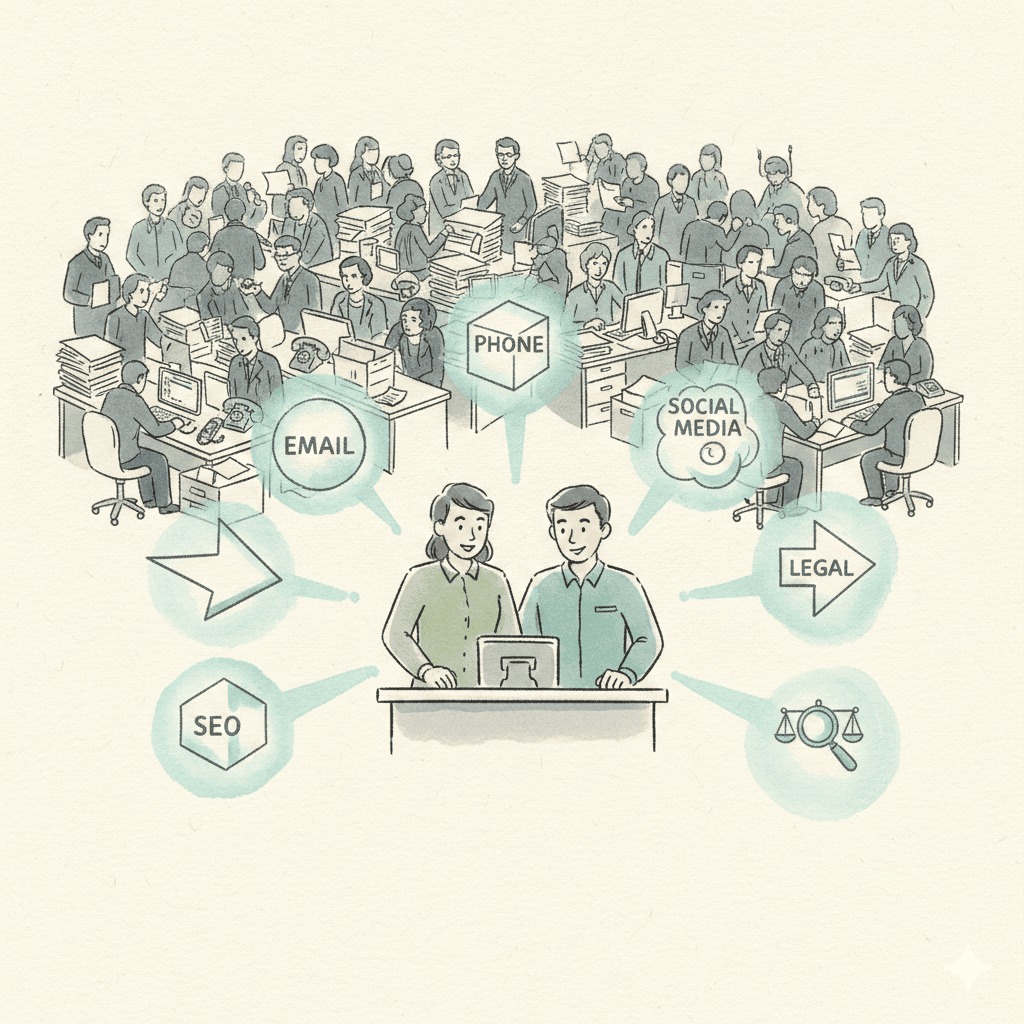
Tiny Y Combinator teams are beating incumbents 20 times their size by automating every internal function with AI. Here's how any business can follow the same playbook — no engineers required.
Start with a refundable pilot — 100% refund within 14 days. A Dooza engineer scopes it with you on a free 30-minute call. Pricing depends on the product; see pricing.
Refundable pilot · 100% refund within 14 days · No contracts